
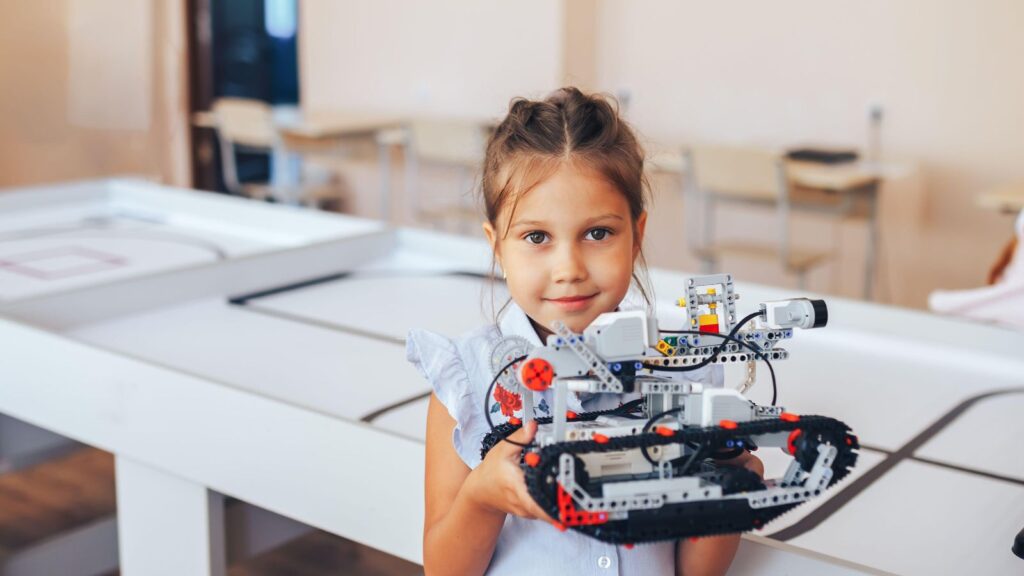
A lesson in programming stalls for a familiar reason. The period goes on logins, a browser that will not load and a device trolley, and the thing being taught arrives with ten minutes left. A robot the size of a large coin changes that order, because the first program a child writes with an ozobot robot is drawn on paper with four colored markers and runs the moment the robot is set down on the line.
No account, no login, no typing.
That is the pedagogical case for ozobot, and it is also the boundary of it, because a color-code activity has a ceiling. A school buying a class set needs to know what the lesson looks like once that ceiling is reached.
How an Ozobot Robot Reads Instructions Off Paper
Underneath the shell are optical sensors pointed at the surface. They read two things at once: the drawn line the robot follows, and short sequences of colored segments laid across that line. Each sequence is an instruction, so one patch of colors turns the robot at a junction and another slows it down. Because the instruction lives on the paper rather than in a file, the edit loop is a stroke of a marker, and a child who wants different behavior redraws the code and puts the robot back down. The feedback is immediate and physical, which is what makes the idea of a sequence land for pupils who have never seen a program. It also makes failure legible: when the line stops, the ozobot robot drives off the end of it, and the class can see exactly why.
At that stage, four markers are the entire development environment.
The limits of the paper stage are worth knowing before the lesson rather than during it. Codes have to be drawn at roughly the width the sensor expects, so a dried-out pen or a wobbly hand produces a robot that ignores an instruction the child is certain was written. A good share of the debugging in a first session is drawing quality rather than logic, and saying so at the outset stops a group concluding that its robot is broken.
Building an Ozobot Classroom Unit That Goes Somewhere
The standing mistake with tangible robotics is treating one good session as a scheme of work and repeating it. An ozobot classroom unit holds up when the color codes are the first rung of a ladder, and the ladder is the part a teacher has to design.
Two things follow from taking them in that order. Assessment gets easier than it is in most programming lessons, because the outcome is visible: either the robot finished the route or it did not, and the group can point at the place where it left the plan. And the paper stage turns out to be short. Four weeks of drawing lines teaches a class, correctly, that the robot does one thing, so the on-screen stage has to arrive while the novelty is still working in your favor.
- Sequence. A line with a start, an end and codes that make something happen at a chosen point; the objective is order of operations, with no notation to learn.
- Decisions. Junctions where a code selects which branch the robot takes, which is conditional behavior met physically before it is met as syntax.
- Blocks. The same robot programmed on screen with block-based code, where the paper maze becomes the specification the program has to satisfy.
- Constraints. A maze drawn by another group, a fixed number of codes, a time limit. Constraints are what turn a toy into a problem.
Keeping a Set of Ozobot Robots Alive
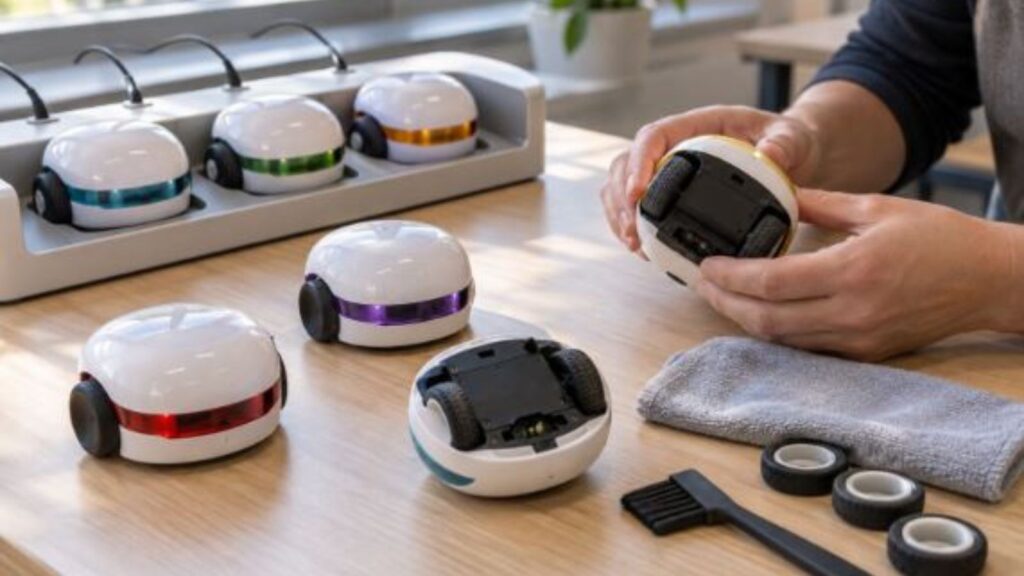
One unit is a demonstration; thirty is an operation. Ozobot robots are small, which is the advantage in a lesson and the difficulty in a store cupboard, and schools that still have a working set after two years treat the housekeeping as part of the purchase.
Charging comes first. Check the runtime and charging guidance for the selected model, then plan charging around the actual timetable; a set passed straight from one class to another may not have enough charge for the next activity. A tray with numbered slots, charged between sessions, fixes that and also fixes the quieter problem, which is that small robots go missing one at a time and nobody notices until a group has none. Calibration comes second: the sensors are reading a paper surface, and teachers should follow the model’s calibration instructions before troubleshooting the children’s code. Testing a known working route helps separate a setup problem from a mistake in the activity.
Numbering the robots and their slots takes ten minutes once and turns the end-of-lesson head count into a job a pupil can do while everyone else is packing away.
Paper is worth one line of its own: matte, white, and thick enough that a marker does not bleed through to the sheet below.
What the Ozobot Price Does Not Include
A budget line is written against a unit cost, and the unit cost is the least uncertain number in the whole project. Anyone weighing ozobot price against another robotics platform is comparing the smallest and most predictable part of what the program will consume.
Set beside those, the sticker difference between two platforms is usually the wrong argument to be having. The question a finance meeting can actually settle is how many lessons a term the set will run, and whether anybody has been given the hours to write them.
- Consumables. The colored markers are the programming language at the first stage, and they run out; pens, paper and printed mazes are a recurring line rather than a one-off.
- Charging and storage. Check whether the selected kit includes a charging case or tray, how many units it holds and where it can stay connected between lessons.
- Teacher time. Preparation before the first lesson and a scheme of work somebody has to write or adapt; this cost is regularly left out of the budget.
- Attrition. Small robots get dropped, stepped on and lost, so a set that arrived complete will not stay complete, and a few spares bought now beat reordering singles later.
- Devices for the block-coding stage. Check that the school has compatible devices and that its browser and network policies permit the chosen block-coding software before the robots arrive. Include any missing devices in the budget rather than assuming the existing trolley is suitable.